
How to Use the Require Proof of Purchase Feature
Considering requiring tenants to upload proof of purchase for utilities? Utility Profit allows this, but we generally don’t recommend it as it can confuse renters and delay the set-up process.
This article explains how to enable the feature, how it works, and key considerations to help you decide if it’s right for your properties.
Step 1: Access account settings
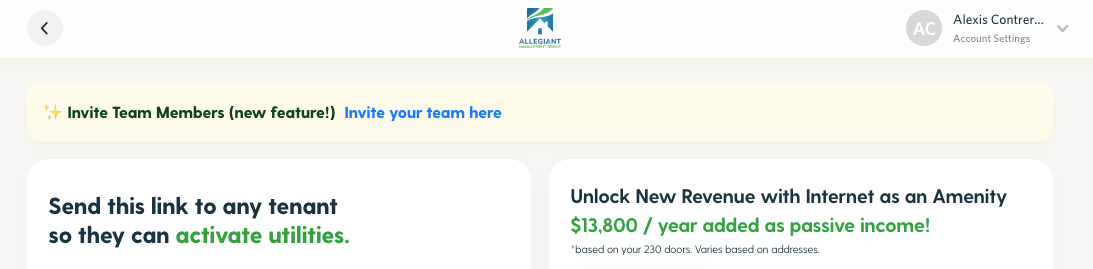
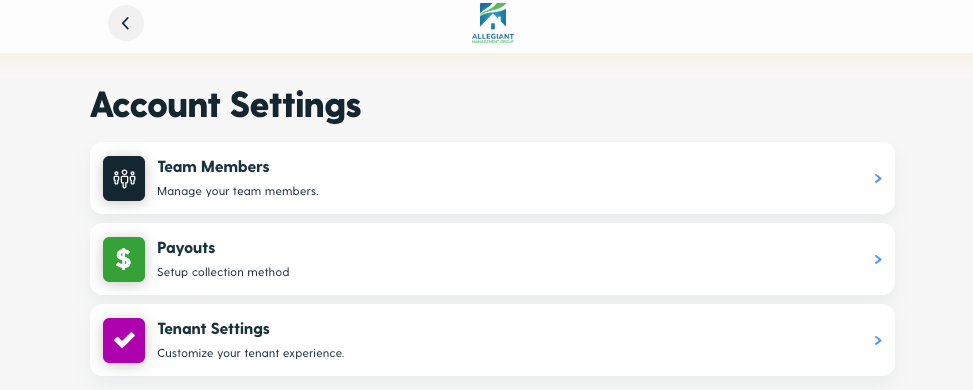
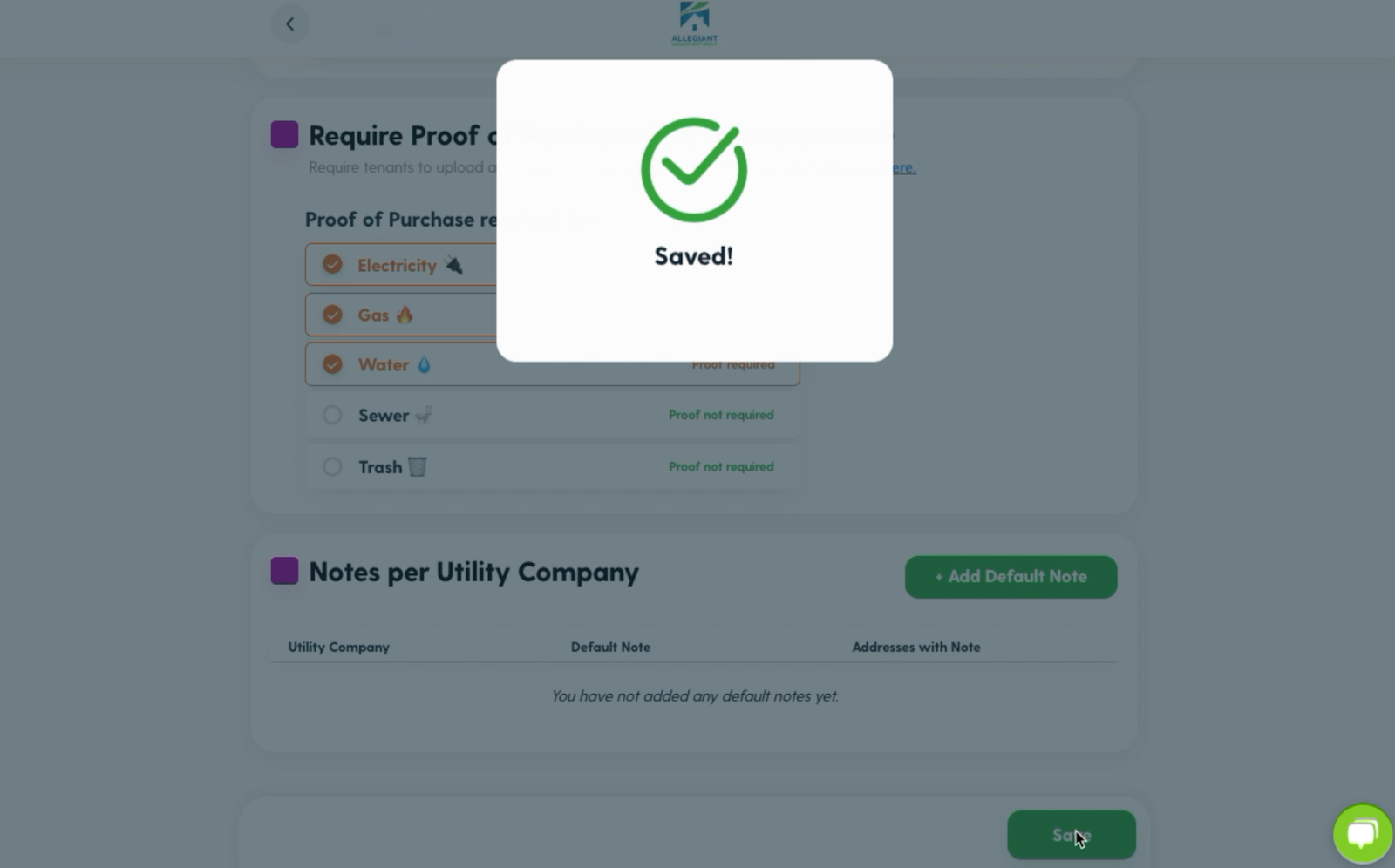
Step 2: Click on Tenant Settings and navigate to the "Require Proof of Purchase" tool.
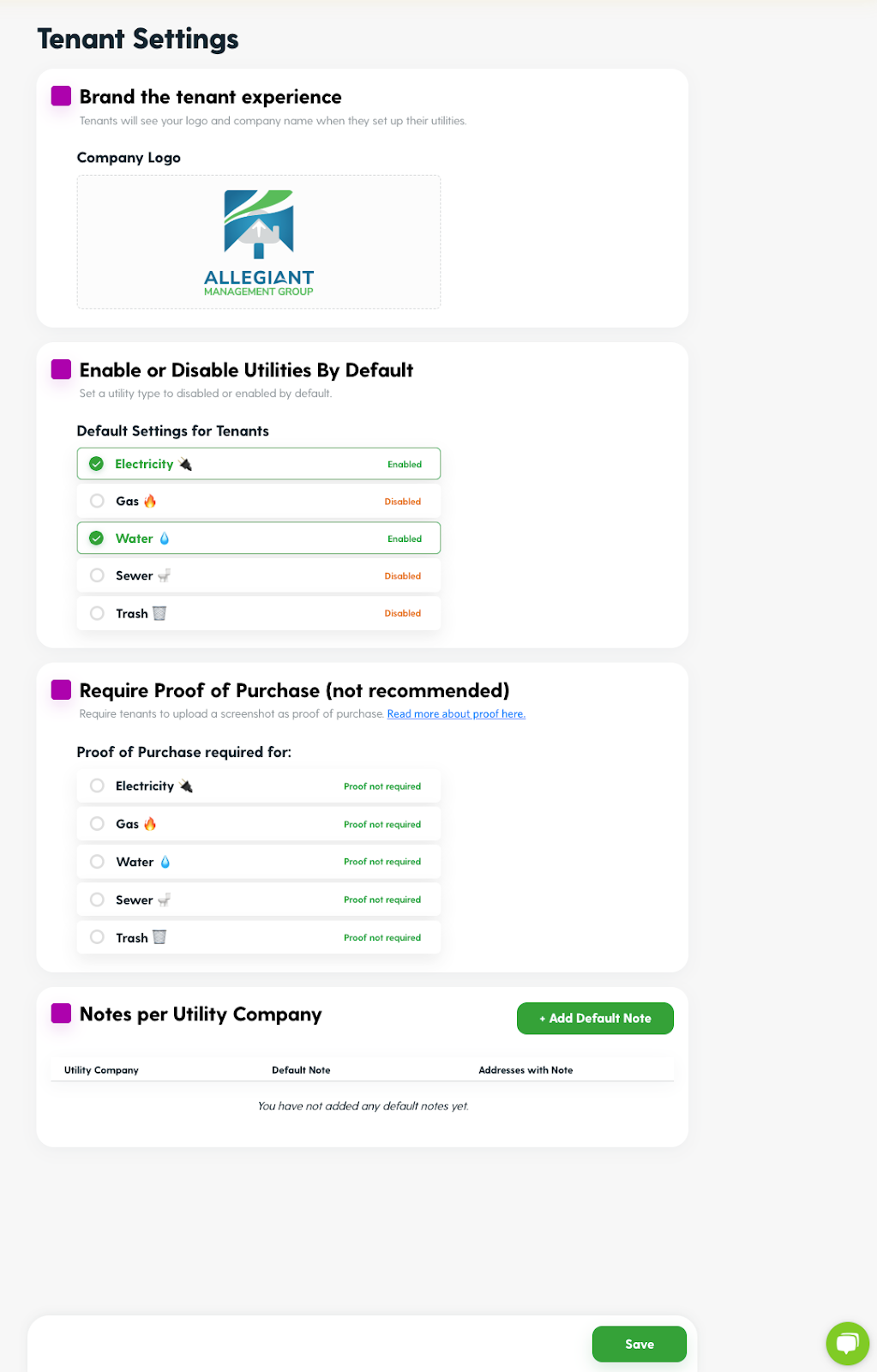
Step 3: To enable or disable the feature press on the utility type you would like to update.
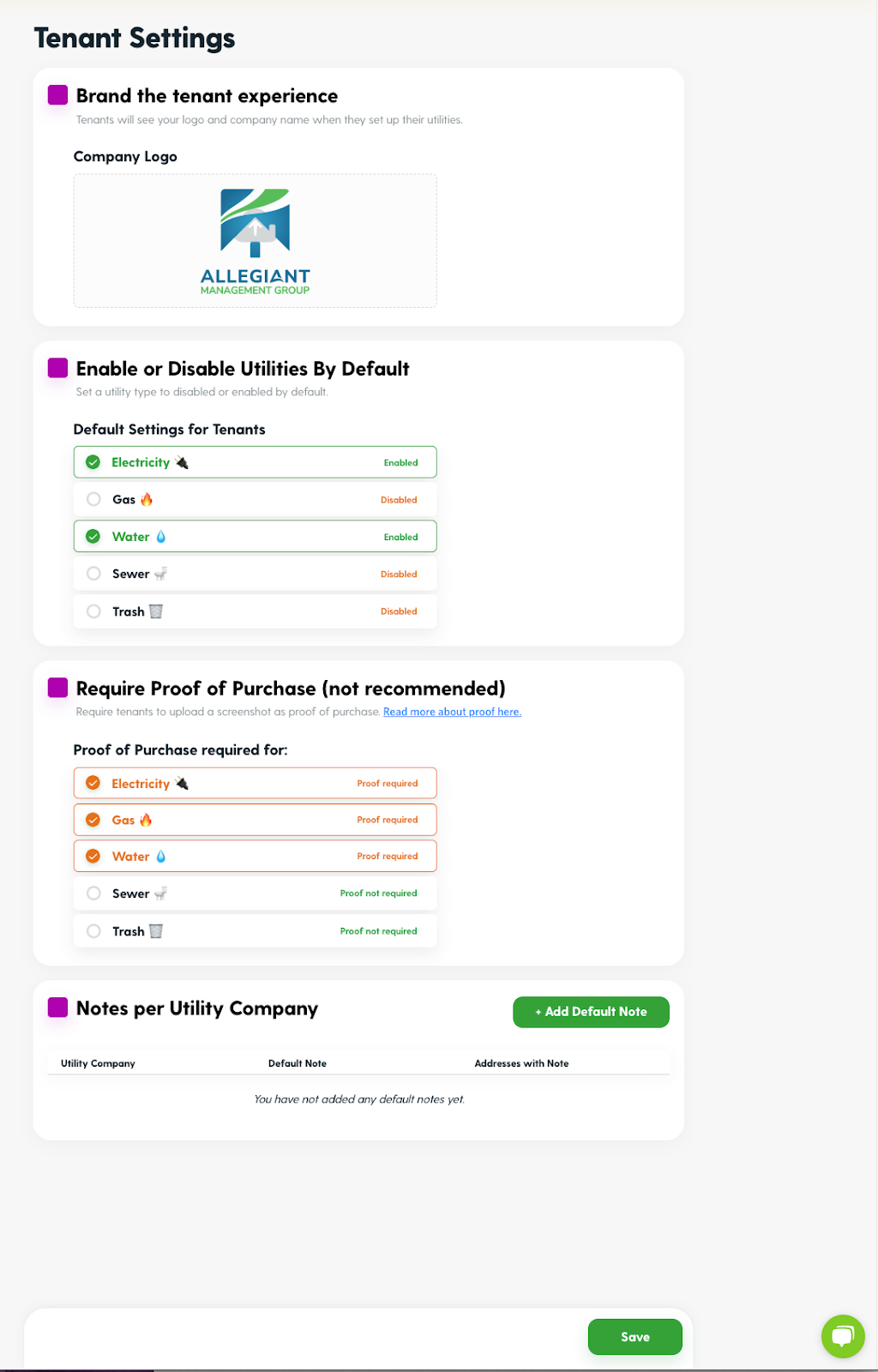
Step 4: Press Save.
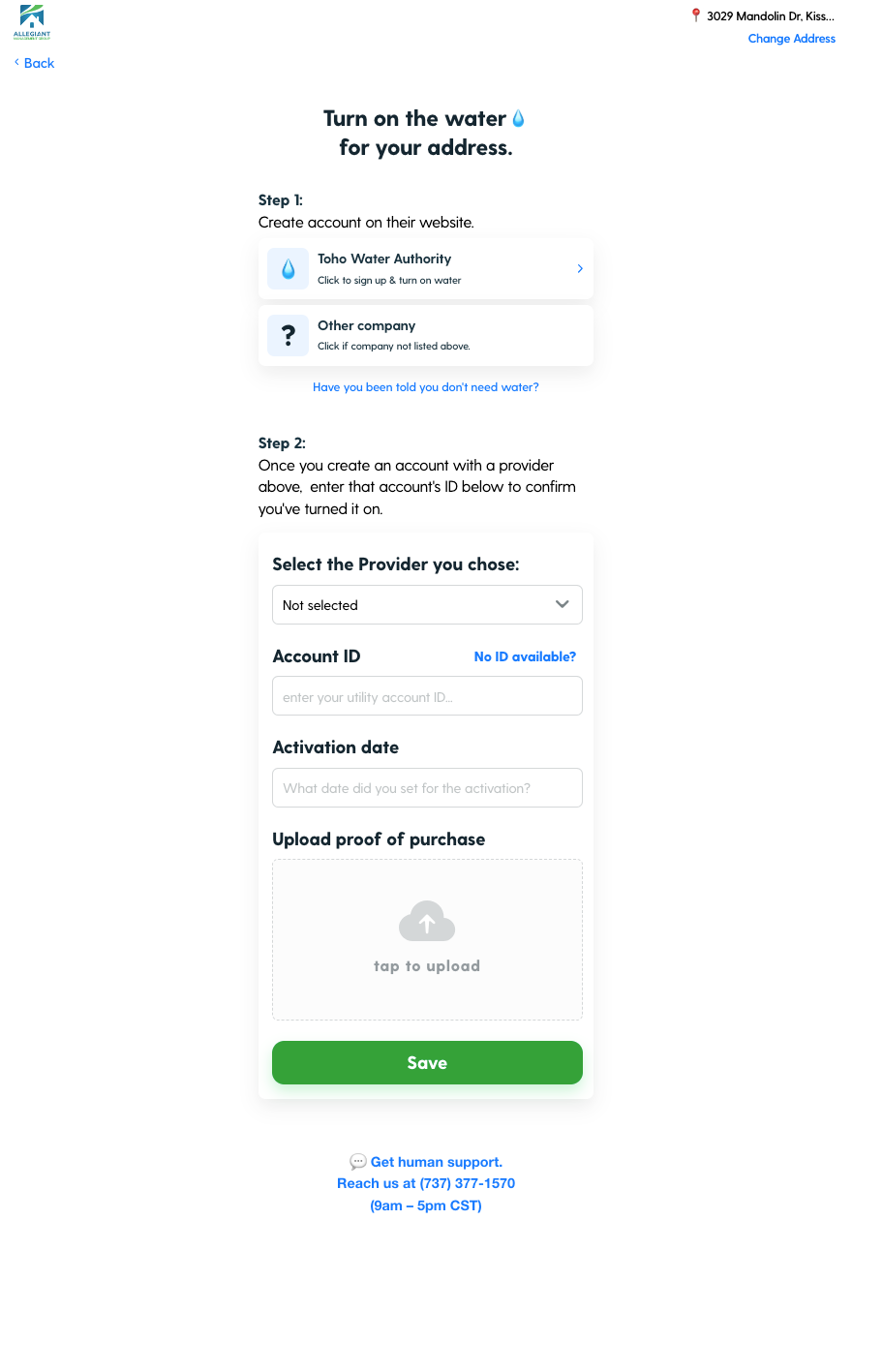
Moving forward, the renter will be asked to upload proof of purchase instead of submitting an account ID.
Considerations Before Enabling This Feature
Tenant Experience: This requirement can confuse renters and delay their setup process.
Operational Impact: Your team may need to review uploads, adding extra work.
Verification Needs: Requiring proof ensures accuracy, but might not always be necessary.
Alternatives: Allow renters to enter Account ID and Activation date by default.
Let us know if you need any help deciding if this feature will work for your team. Contact us here.