How to Set Payout Information
Your Utility Profit account is up and running smoothly—great job!
Now, it’s time to set up your payout information so you can effortlessly receive your earnings when your revenue is ready to transfer.
Follow the steps below to get started!
Step 1: Login and Navigate to your Settings Page
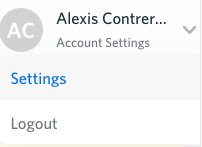
Navigate to utilityprofit.com, and login. Once you are logged in, hover over your name in the top right section of the page then click on "Settings".
Step 2: Click into Payouts
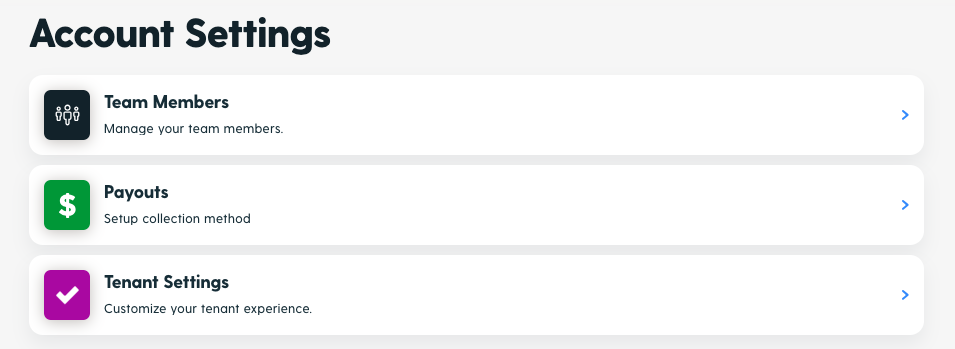
From your Settings menu, click on "Payouts".
Step 3: Add Collection Method Details
Click on "Connect Debit or Bank" and then select the type of account you would like the funds to deposit to.
Add the required information then click "Next".
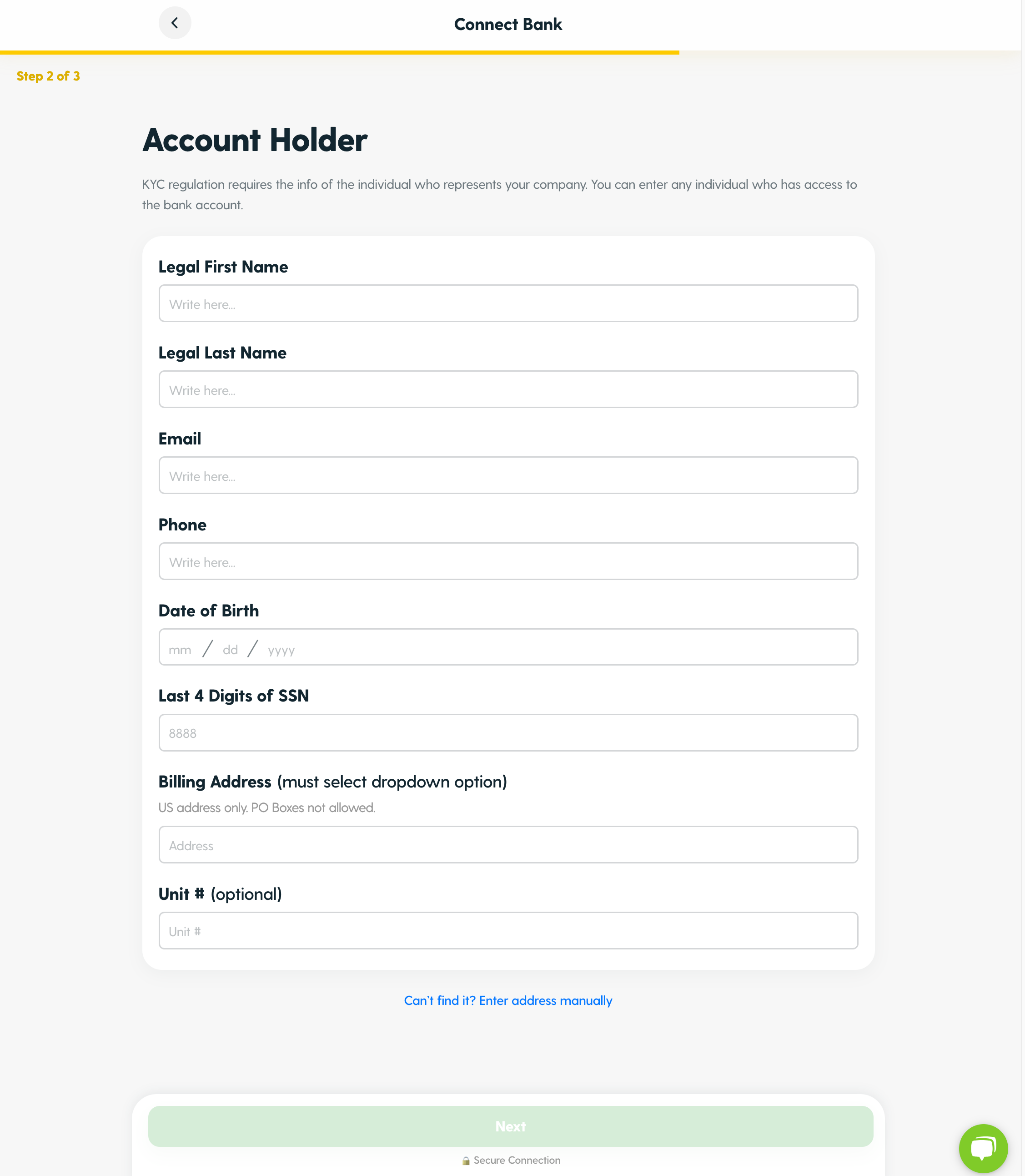
Step 4: Enter Account Holder Details
Step 5: Review and Connect!
Review your account holder information and the collection details. Once everything looks good to go press "Submit & Connect Bank".
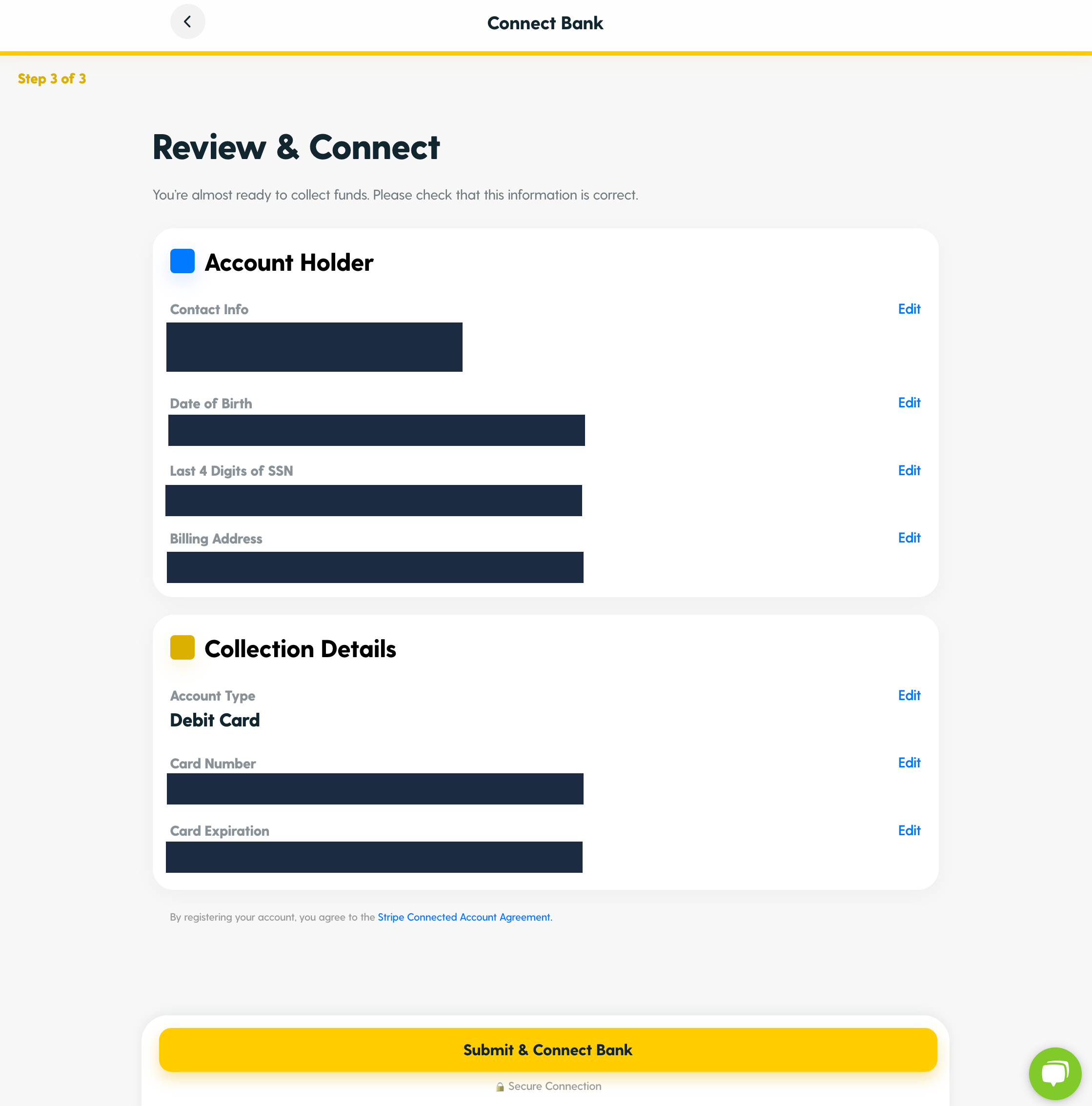
Woohoo! Now all future revenue can easily be transferred to your account of choice.
Commonly Asked Questions
Why do we need to enter sensitive information like a social security number or our bank account info?
A birth date and SSN is required for the "Know Your Customer" regulation. This is a regulation that all payment processing platforms, such as the one our site utilizes, Stripe, need to follow. You'll need to enter the date of birth and Social Security Number for the person that set up the bank account.
Is my information secure?
Yes, your information is fully encrypted and secure! 🔒
Can I receive a check?
Please reach out to our team here for questions about receiving your revenue via check.
Need more help? Reach out to our team here with any questions.