
Add Support Contact Information for your Tenants
To provide the best experience for your tenants, we want to make sure they reach the right point of contact on your team if they have any leasing-related questions.
Now your tenant support line will be displayed directly to the renter in your branded tenant tool, so tenants can easily contact your team when they need assistance.
Follow these simple steps below to ensure your tenants have the right point of contact for leasing-related questions.
Step 1: Login and Navigate to your Settings Page
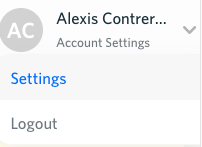
Navigate to utilityprofit.com, and login. Once you are logged in, hover over your name in the top right section of the page then click on "Settings".
Step 2: Click on Tenant Settings
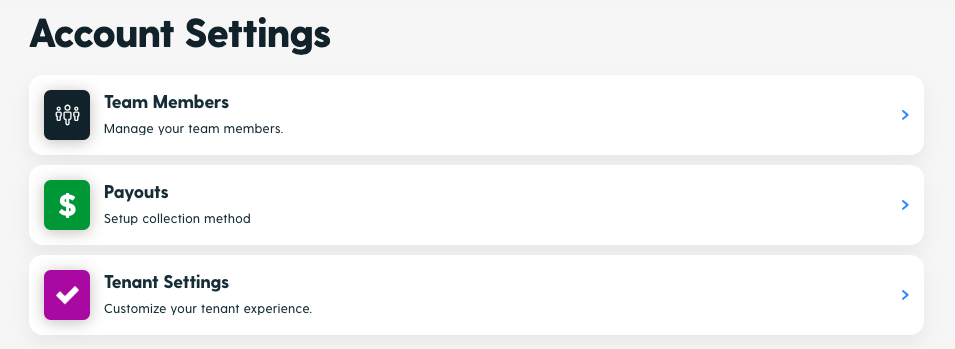
From your Settings menu, click on "Tenant Settings".
Step 3: Navigate to Tenant Support Info
Scroll down to "Tenant Support Info".
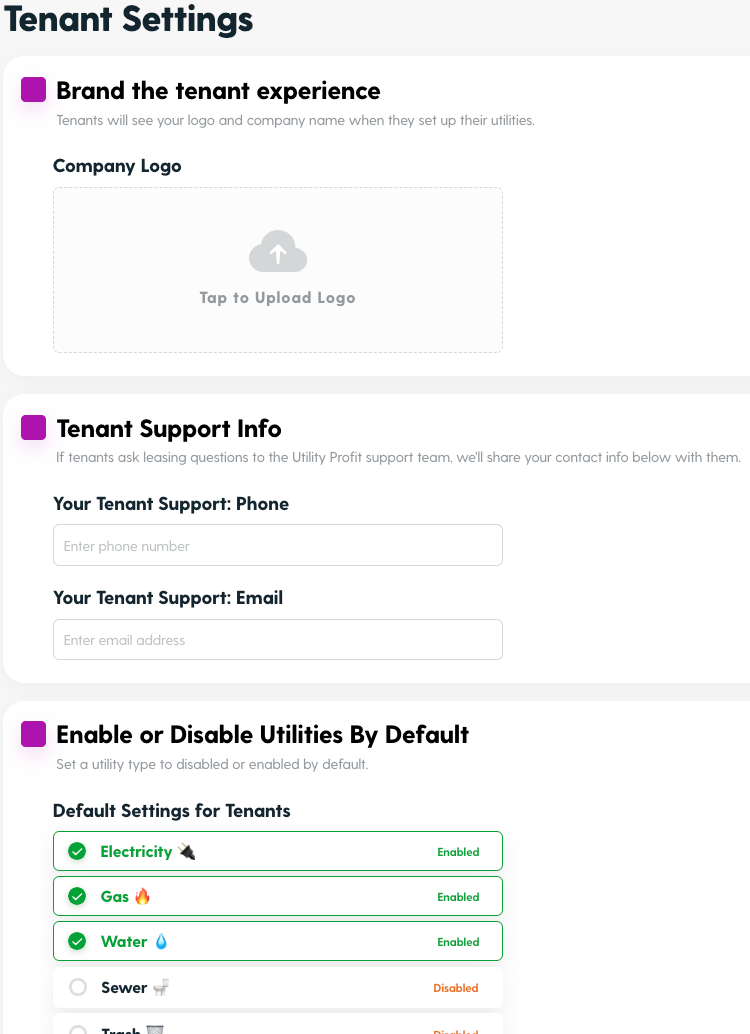
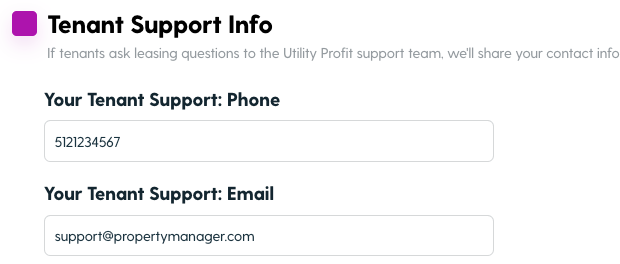
Step 4: Enter your Team's Support Information and Click Save.
By completing these simple steps you'll improve your tenant's experience by giving them an easy view of how to contact your team with any leasing-related questions.