
What verbiage can I use in my Welcome Email?
Our team has provided you with a template to easily update your current outreach for pre-move-in instructions. This will make the transition for your tenants to set up their utilities smoother!
Pro-tip: If you have not received the email template and need it resent reach out to our team here. Or copy the message template below and update it with your custom link located in your platform!
Updating Email Template During Onboarding
During the onboarding and activation of your platform you will see a step to update your current welcome/approval email template that goes out to your tenants. You can easily copy the verbiage there to add to your templates.
If you have already passed this onboarding step and need the template you can keep reading or find it here.
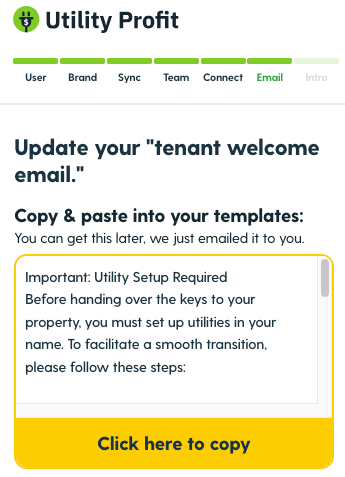
Welcome/Approval Email Verbiage for your Template
Important: Utility Setup Required
Before handing over the keys to your property, you must set up utilities in your name.
To facilitate a smooth transition, please follow these steps:
1. Access Our Platform: Use the following link to locate and connect with the required utility providers: https://utility-setup.com/your-company-name (Pro-tip: Insert your custom link here. You can find it at the top left of your platform)
2. Input Confirmation Details: Once you’ve established your utility services, input the relevant account or confirmation IDs into our platform.
This step ensures we’re able to track and manage your utility services effectively. Should you have any inquiries or require assistance regarding essential utility options, our chat support feature within the provided link is readily available to assist you.
In conclusion, it is best practice to update your welcome/approval email during onboarding to help your tenants better utilize the platform. Feel free to update the provided verbiage to fit your team's needs!
Commonly Asked Questions
What if I do not have a Welcome/Approval Email?
If you do not have a Welcome/Approval email, we suggest making one so your tenants are aware of the steps they need to take to set up utilities prior to move-in.
How do I update my email templates?
This can vary depending on how your welcome/approval emails go out to tenants. If you are sending emails out automatically refer to the platform's knowledge base to update your email template. If you are sending the emails out manually update your master email template.
Have questions?
Reach out to us here for assistance.